
Adding an offer
To add a new offer to the tracker, click the Create button on the Offers page.
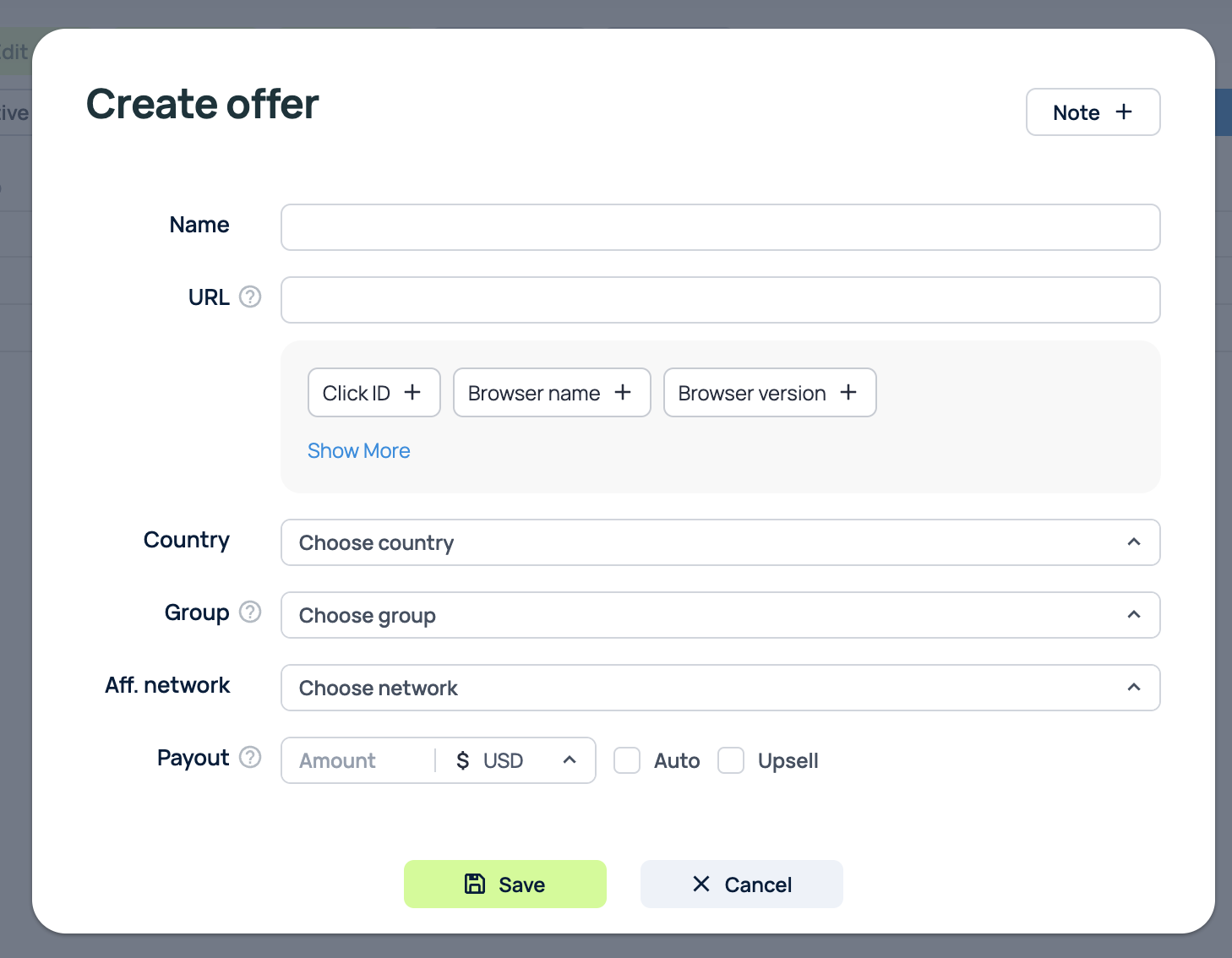
Offer settings
Name: Enter the offer name. Offer names are not unique and can be the same as the names of other offers.
URL: Enter the offer link. You can choose tracker tokens to use in the offer link below, or you can add the necessary parameters or tokens to the link yourself.
Country: Select the country for the offer.
Group: Select the group for the offer.
Aff.network: Select the Affiliate network for the offer.
Tags - Select Tags for the offerNote that if you select an Affiliate Network that has an Offer URL template set, the parameters from that template will be automatically inserted into the offer link.
Payout: Enter the payout amount for the offer.
If you check the Auto checkbox, the tracker will assign the payout amount sent in the postback link from the Affiliate Network when it receives a postback.
The Upsell checkbox is needed for cases where you need to add the payout amount from each new postback to the sum of payout amounts from previous postbacks for the same click. By default, when the tracker receives a new postback for a click, it overwrites the payout.
Cap - Choose click or conversion cap for offer.Importing offers
Sometimes there is a need to quickly add a large number of offers to the tracker using a template. To do this, you can use the offer import function.
Click Import to open the offer import window. You need to add a list of new offers in the following format:
Name;URL;Auto(0/1);[Payout;Currency;Upsell(0/1)];[Country code];[Group name];[Aff. network]
The parameters inside [] brackets are optional. If you do not specify them, the tracker will leave the values blank.
The Auto and Upsell checkboxes are set using 0 or 1 in the corresponding column. For example, the line "my name; facebook.com: http://facebook.com;1" will create an offer with a link to facebook.com and payout=auto
Each offer must be specified on a new line:
offer1; google.com; 0
offer2; google.com; 0; EN; mygroup
offer3; google.com; 0; 75; EUR; 1; EN; mygroup
offer4; google.com; 1
After clicking the Save, the offers will be added to the tracker.