
Copying landing pages
With this feature you can upload landing pages to your tracker via direct links and use them as integrated landings. Unfortunately, not all pages can be uploaded this way: massive pages with many complex elements most likely will not be copied.
Go to Landers > Grab:
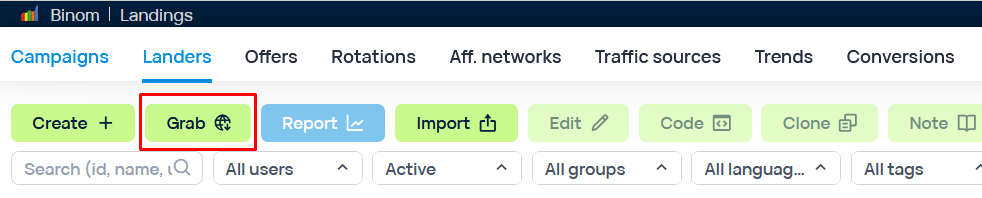
Binom not only allows you to copy a landing page, but also immediately set it up for usage.
Main settings
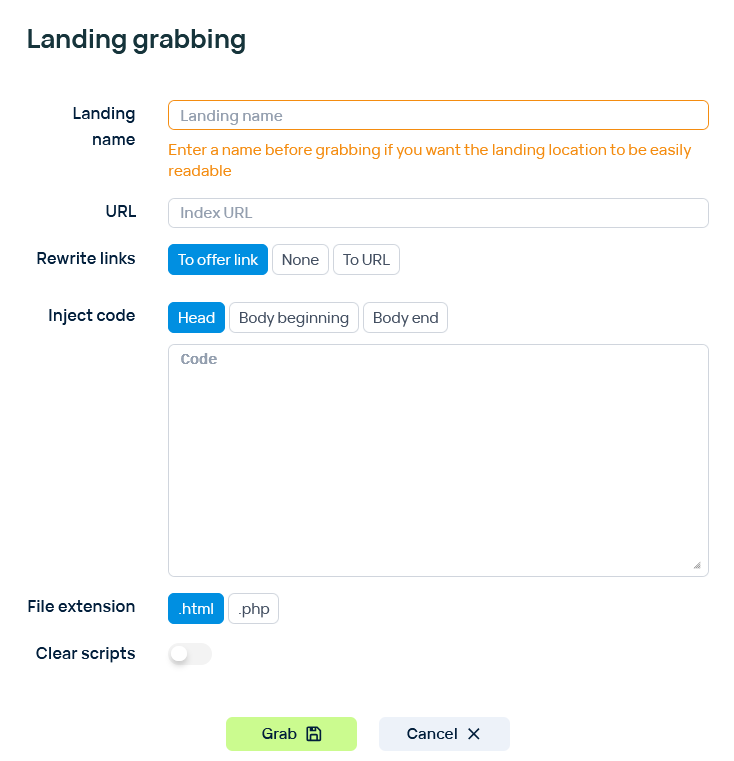
Landing Name
The name of a landing page.
URL
A link to a landing page you want to copy.
Rewrite Links
Change links in a grabbed landing page:
To offer link - replace all links with the {offer_link} token.
None - leave links as they are.
To URL - replace all links with your custom link.

Additional settings
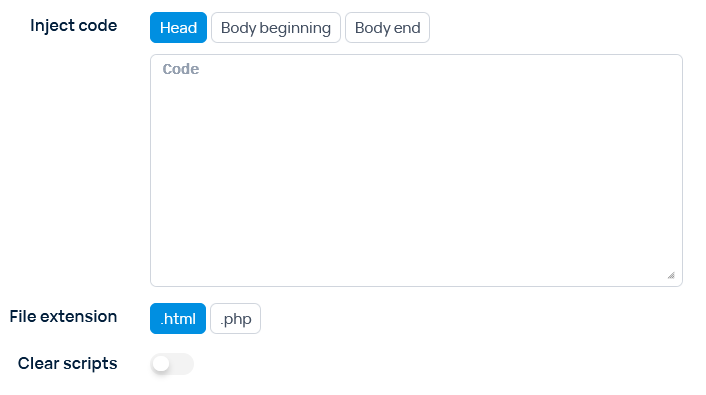
Inject code
Add your code to head, beginning of body, or end of body.
File extension
Select the extension for the landing page: .html or .php.
Clear scripts
delete all JS scripts from the code.