
Tracker system monitoring
Logic
To get to the monitoring tab, find the Monitor button at the topmost menu of the tracker (black bar):

You will see information about your current user.
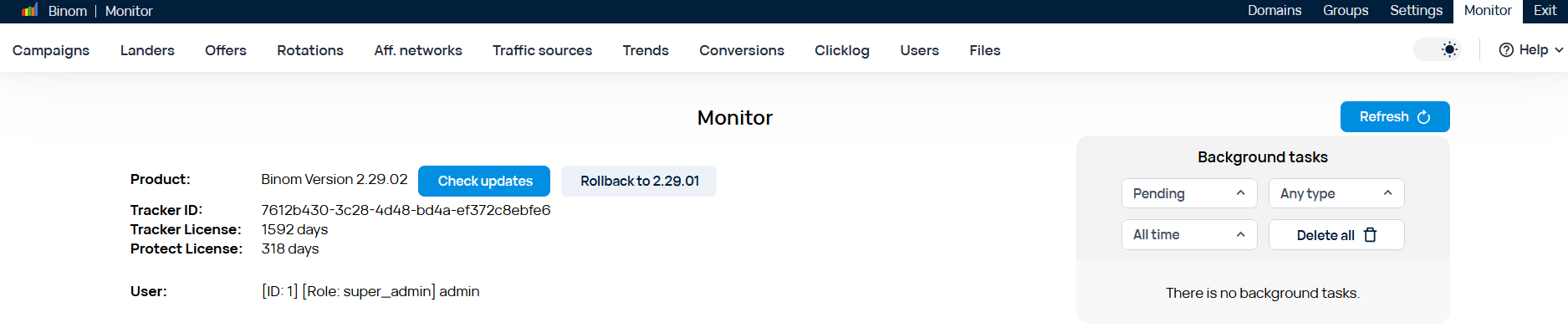
Current tracker version info, updates check button, tracker ID and the remaining license and Binom Protect licese days can be found here.
Below you can find info about your server. The overall and remaining disk space, RAM, cores and threads.
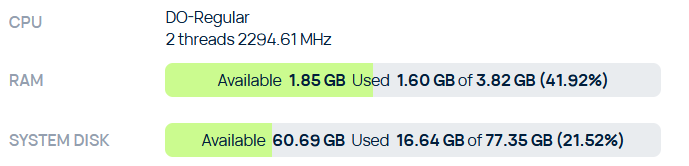
An important part of the Monitor is the tracker load bar. It shows how much load your tracker is currently experiencing. Loads above 80% indicate that you need to upgrade to a more powerful server.
Be careful - when you are updating costs - the load of the tracker can reach 100%. However, this is not critical. While updating you will see a notification to the right of the main information.

The volume of traffic you can check is displayed on graph below:
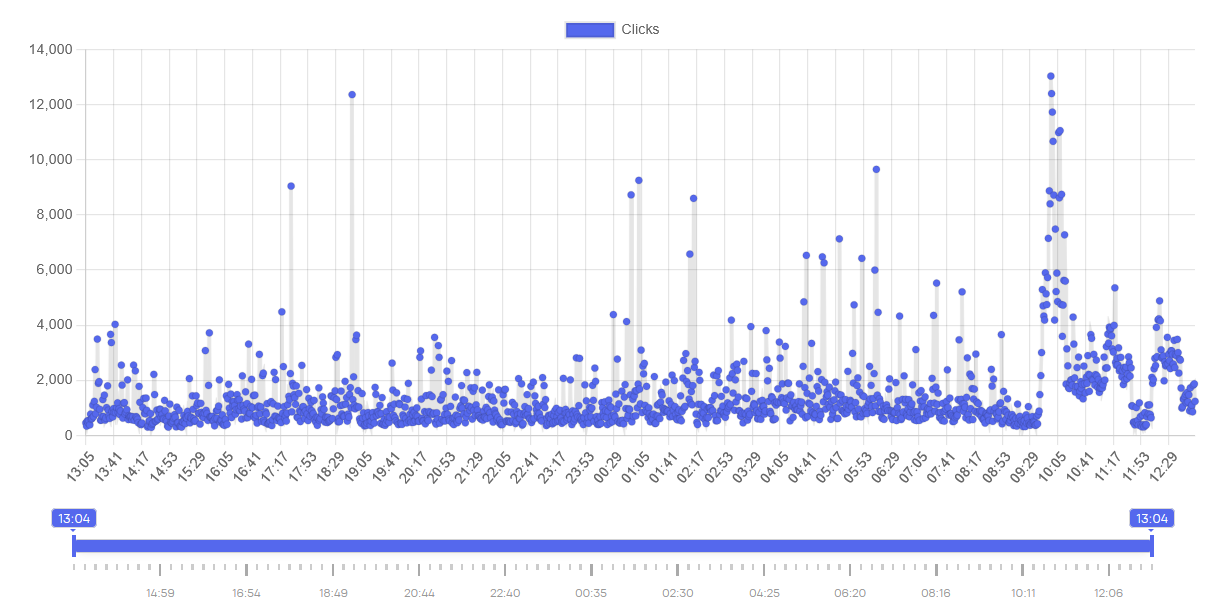
The tracker only stores data from the last 24 hours and by using the slider below you can study any interval in more detail.